You’ve designed a fantastic online store, and you have products that your customers love.
Your email marketing metrics and other metrics are great, traffic to your website is excellent, and customers are also adding products to their carts.
However, you have a problem on your hands if your cart abandonment rates are high. As an eCommerce retailer, you should strive to reduce cart abandonment, as it can hit revenue and profit metrics.
What is Cart Abandonment?
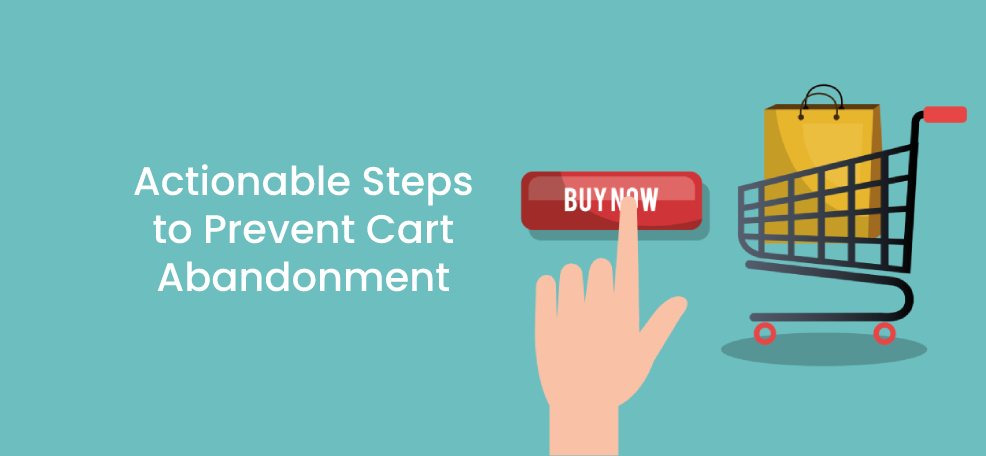
Cart abandonment occurs when customers add products to their carts but don’t complete the purchase and leave your website.
Mobile users have the highest cart abandonment rate—with 85.65% of shoppers failing to make it to checkout.
Cart abandonment rates vary across industries. Just as the pandemic started to take hold over the world, it is interesting to note that cart abandonment rates skyrocketed globally, with 88.05% of online shopping orders abandoned in March 2020, according to data published by Statista.
Now that we understand what cart abandonment is, let’s look at why customers abandon their carts and reduce cart abandonment.
We’ll also look at some strategies to recover abandoned carts.
Why do customers abandon their shopping carts, and what can you do about it?
1. Distractions
Perhaps your customer meant to complete the purchase but got distracted by a phone call or other matters that had to be attended to, and they simply forgot about it.
Sending cart abandonment recovery emails will nudge customers to complete the purchase of the products they have already added to the cart.
These emails should have a great subject line, display the products that the customer had already added to the cart, and have attractive visuals and graphics along with a great copy.
The emails should be compelling and encourage the customer to click on the Call to Action. You can achieve this by using social proof and reviews.
Finally, you can encourage the customer to purchase by creating a sense of urgency or offering a limited period discount.
2. Shipping costs
When customers pick products and add them to their shopping cart, they might not have considered shipping charges.
If customers discover shipping costs at the very end, they could be unpleasantly surprised and abandon their carts during checkout. This could happen because the shipping charges are not prominent on your website, or the threshold for free shipping is not clear.
It would help if you made it as easy as possible for the customer to figure out what shipping costs will be or get an estimate of the shipping costs. This should be displayed prominently on the product detail page.
By either offering free shipping or clearly mentioning the threshold for free shipping on your website, you can reduce cart abandonment.
3. Delivery times
Major retailers have raised the bar for delivery times. Customer expectations for delivery are getting shorter by the day.
First, it was two-day shipping, then one-day shipping, and nowadays, it is same-day shipping. Soon the norm might be that customers expect their products to be delivered in a couple of hours.
Customers don’t have the same delivery expectations for all products. If products your customers add to carts take longer than the norm, they might quickly abandon their carts and look at faster delivery alternatives.
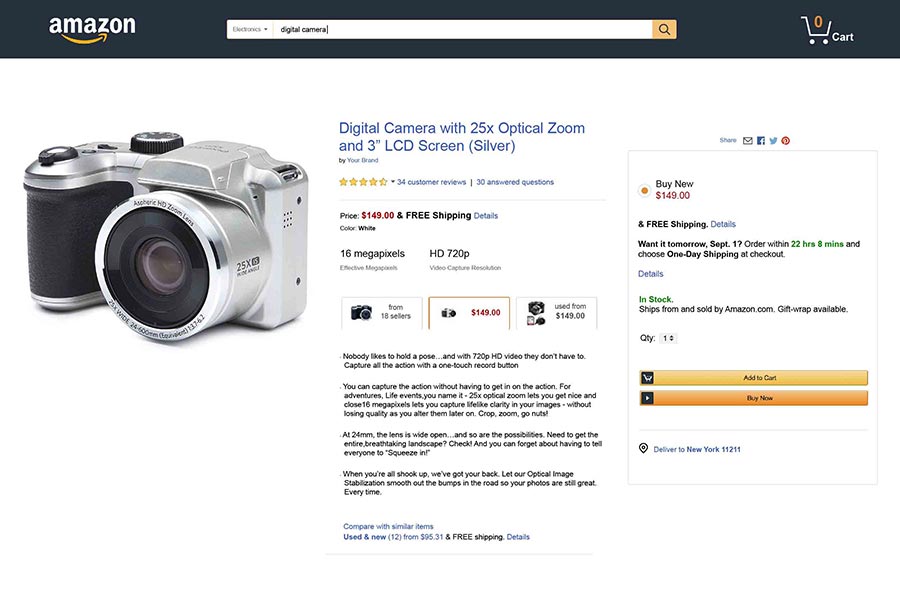
If you’re selling on Amazon, it does a great job of displaying shipping, delivery, and discount information on the product detail page.
5. Forcing users to create an account
Guest checkout should be possible on any eCommerce website.
Of course, you want to gather your customer’s email address so that you can communicate with them, but forcing your customers to create an account with several fields to enter will make the checkout process much longer. It will cause customers to abandon their carts.
Make your account creation process as flexible as possible with the minimum number of clicks and very few data entry fields. The more friction between the customer and the checkout process, the more likely it is that customers will abandon their carts.
6. High prices
High prices of products may also be preventing customers from completing the transaction.
Customers will look around at other retailers and compare price points, and if they find a better price point, it may cause them to abandon their carts.
Ensure that you offer competitive prices by doing a competitive analysis and offering shipping and other services that differentiate you from your competitors.
7. Cumbersome checkout process
Adding multiple steps during checkout and creating numerous forms where the customer has to fill out a lot of data will only frustrate the customer and cause them to abandon their carts. Keep in mind the essential things customers look for on a shopping cart page.
Ensure that you collect only the information you require and that the data the customer has to enter is as minimal as possible, making the checkout process smooth and straightforward.
For example, you can populate the billing address from the shipping address and avoid asking the customer to re-enter the address.
You can also display a progress indicator to customers to indicate where they are in the checkout process.
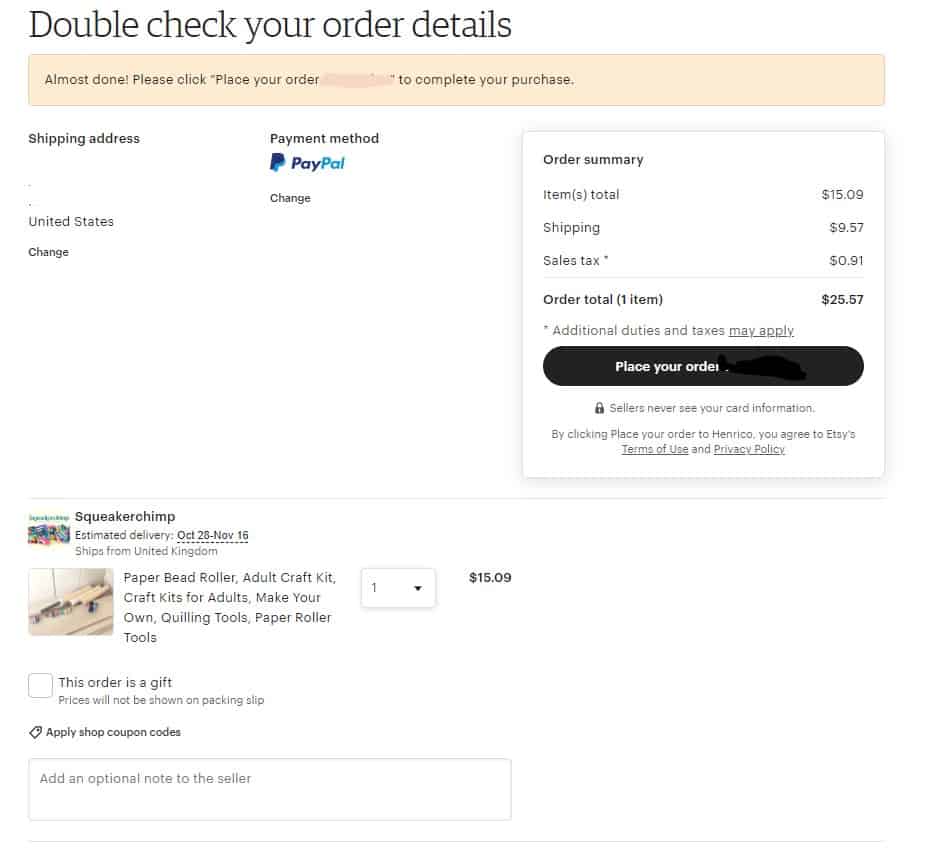
Etsy has a simple checkout process, making it easy for customers to check a guest.
8. Cumbersome returns
If customers regret buying your products or if faced with buyer’s remorse, they would like the returns process to be as simple as possible.
A long-drawn and cumbersome return process will lead customers to leave your website and abandon their carts. Review your returns process and make it as easy as possible to return items and get their refund as soon as possible. This will increase trust and improve the number of purchases.
9. Website performance
Poor website performance can negatively impact your customer experience and quickly lead them to abandon their carts.
If your website takes longer than usual to load or your cart and checkout pages are not responsive, it will likely drive your customers away.
So, ensure your website is designed well, loads fast, and has minimal downtime. Leverage useful plugins to speed up website loading time.
10. Lack of offers or discounts
Lack of deals is another reason for cart abandonment. Most customers look for discounts on products, and the price of products will be attractive to buyers when they have discounts or coupons applied.
Ensure that your products have attractive coupons or deals to reduce cart abandonment. You can also use Buy One Get One Free offer or limited-time offers on products to increase purchase chances.
In the following example from LOFT, they clearly mention the promo codes for discounts when the product is added to the cart.

11. Lack of customer support
Customers can have questions about the products or their functionality. Customer support is key to answering queries that buyers have.
Suppose your product FAQ pages are not comprehensive. In that case, live chat is unavailable on your site, or your customer service numbers are not advertised, this may lead to customers abandoning their carts.
Ensure that you have at least one of these options like a WordPress Chat plugin to deliver the information your customers may want.
For example, Zappos has its customer support number prominently displayed on its website.

12. Lack of payment options
With the myriad of payment options available, your eCommerce website should support as many payment options as possible to make it easy for the customer to checkout.
Your website should support all the major credit cards and other popular payment options such as PayPal, Apple Pay, Google Pay, etc.
If customers don’t find their payment methods on your website, they might look elsewhere where their preferred payment method is supported, leading to cart abandonment.
13. Payment security
Data breaches and credit card information theft have made customers wary of websites that don’t have SSL security and look suspicious. Ensure your site is secure and that you have the padlock in the address bar.
Additionally, allay customers’ fears about their information getting stolen by advertising that your site is protected when they enter their payment information.
14. Mobile Optimization
More and more users are shopping over mobile, so optimize your website for mobile too.
You need a seamless cross-platform experience because customers may browse on a desktop and complete the checkout process on mobile.
Additional Strategies to recover abandoned carts
In addition to the above reasons and methods to reduce cart abandonment, recover cart abandonment with these few additional strategies.
1. Use exit-intent popups
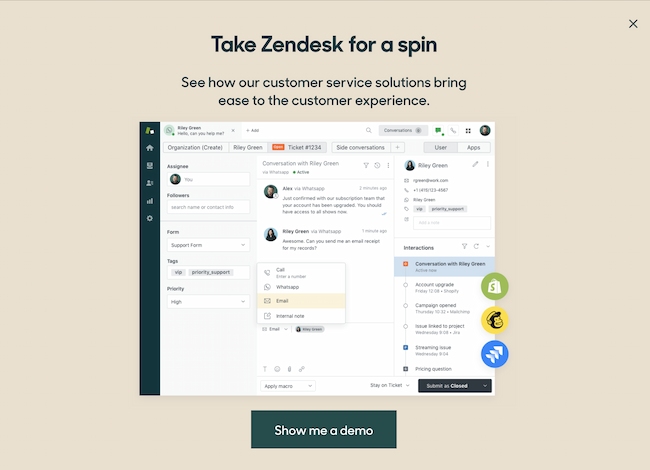
Exit-intent popups help to target customers even before they leave your website. You can make one final attempt to capture your customers’ attention before they leave your website using a catchy headline, a light-hearted tone, and an irresistible offer.
For example, Zendesk asks customers if they want a demo before deciding.
2. Push notifications
You can use push notifications to notify customers about their abandoned carts at a particular time after they have left your website to encourage them to complete the transaction.
3. Personalization
You can also make customers feel special and use their name, location, etc., throughout their buying experience to increase conversions and establish a connection with them.
4. Use retargeting ads
When users exit a website without making a purchase, retargeting ads display the same products on other platforms that they visit to remind them to complete their purchase subtly.
Display your retargeting ads on Facebook, Google, or other platforms.
5. A/B test or Split test
You should A/B test or split test at every opportunity to ensure that your customers get the best experience that resonates with them. When in doubt, split test to ensure you choose the winning experience.
Using the strategies above, you can identify the weak links on your website where customers abandon their carts, and you can reduce cart abandonment rates.
Author bio: Amrapali is a blogger who blogs about business and marketing at Bazaar Expert.