Whether you are doing freelance writing or creating any written type of content while working in the office, you need a good, credible grammar checker.
There is various grammar checking software on the market today, so you should test as many tools as possible to get the right one.
In order for your content to be error-free, you must be one hundred percent sure of the correctness of your text, no matter how much experience you have in writing.
If you have your own website, the users of your services must be interested and must have confidence in your work to stay there. You need to seem convincing and professional to them.
Sometimes we make mistakes that we are not even aware of, so it is best to use tools.
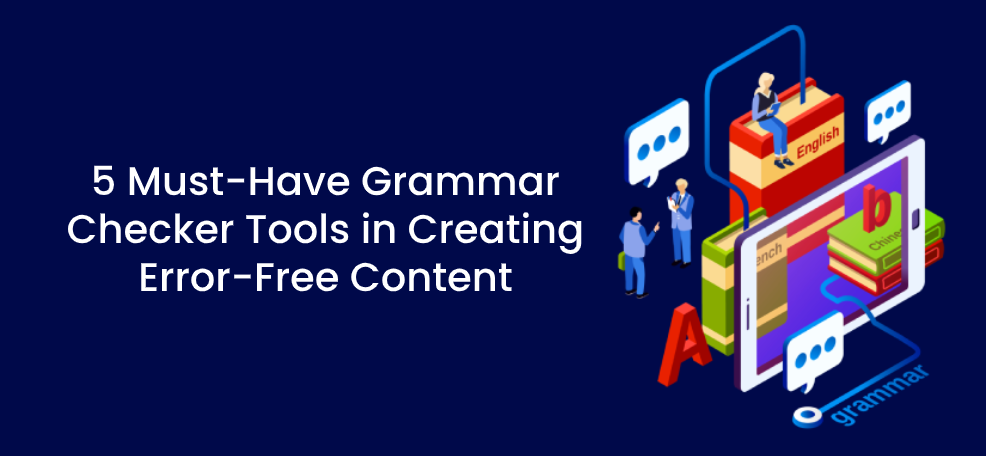
Below, we will introduce you to 5 must-have grammar checker tools to help you with creating error-free content for your blog, website, or similar, so check these out.
1. Grammarly
Grammarly is probably one of the most popular, if not the most popular grammar checker that exists.
This is a writing assistant which, in addition to correcting grammar and spelling errors, also provides you with detailed feedback.
This tool is extremely easy-to-use and it can help you with writing blogs, articles, guides, and similar.
Grammarly also offers the option to choose your preferred English dialect, it provides you with different useful suggestions, and, with the paid versions, you get some additional features.
It works by having a field at the bottom, in the right corner, where it tells you how many errors have been detected, and in the text itself, these errors will be underlined so that you know exactly what you need to change.
Examples of errors that can be corrected look like this:
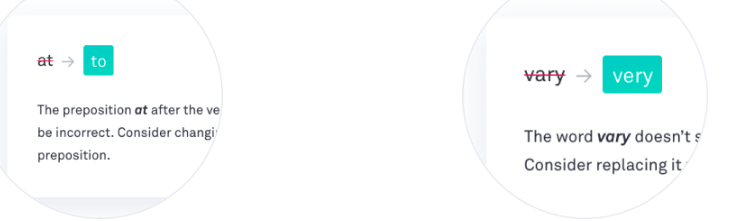
It will also show you short explanations so as not to confuse you.
Depending on what type of text you are writing and for what type of audience, Grammarly will show you if the tone of your content is appropriate.
Offered features:
- User-friendly interface
- Easy-to-use grammar checker
- Provided suggestions
- Browser extensions
- Tone detector
- A plagiarism detector with the paid version
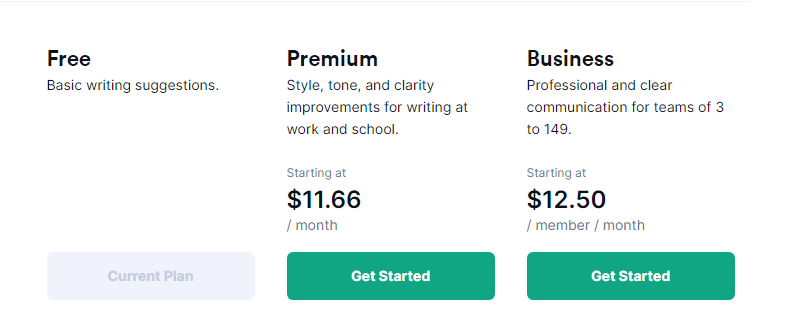
Pricing: There is a free plan that offers basic features regarding spelling, grammar, and punctuation errors but you can also upgrade to some of the paid plans and get some additional features. If you opt for this option, you get to choose between a Premium version that costs $11.66 per month and a Business version that costs $12.50 per month which we can see below:
2. Ginger
Ginger is another great grammar checker that you can use online.
If you need a quick way to check your text or parts of the text, this amazing tool allows you to see your grammar or spelling mistakes and write better English.
In addition to these mistakes, it will recognize punctuation mistakes, even help you rephrase your sentences and work on your style.
It is easy to install as a browser addon and the free version can be used very easily and simply.
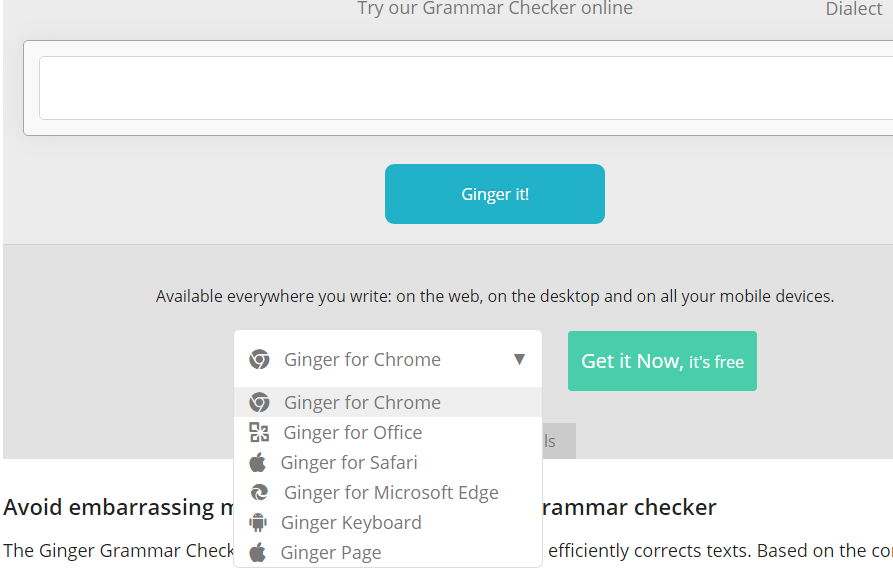
On their website, you can try it out and then add it to Chrome or take advantage of another option offered such as Office, Microsoft Edge, and more as we can see below:
This tool can boost your productivity and make your writing flawless.
With auditory feedback, its TTS feature can help you improve your pronunciation and with their dictionary, you may learn some new words, synonyms, and similar which can be very useful for your website content.
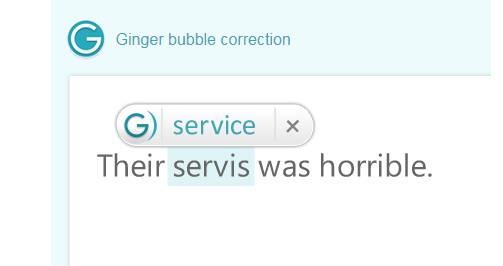
Ginger bubble correction which is used in Windows looks like this:
In addition to all these benefits, Ginger also offers the option of translating into over 40 languages.
Offered features:
- Customization
- Highly-efficient grammar checker
- Sentence rephraser
- Dictionary
- TTs feature
- Translator
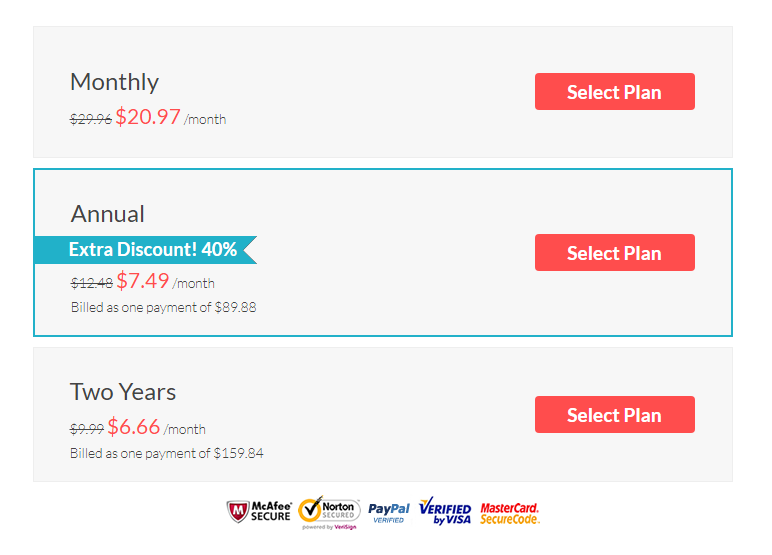
Pricing: It has its free version but if you want some additional features you need to upgrade to the Premium version and there is a special promo of 30% off all plans:
3. WhiteSmoke
If you need a cheaper and equally effective variant, WhiteSmoke is the right choice for you.
This tool makes your text clear, precise, and accurate because it recognizes mistakes in your sentences and displays them immediately.
It is controlled by the WhiteSmoke community and when it comes to spelling errors, its database is constantly being updated.
By using letters in different colors, this grammar checker makes it clear what the mistakes are and offers other options so it can’t confuse you and is easy-to-use as we can see below:
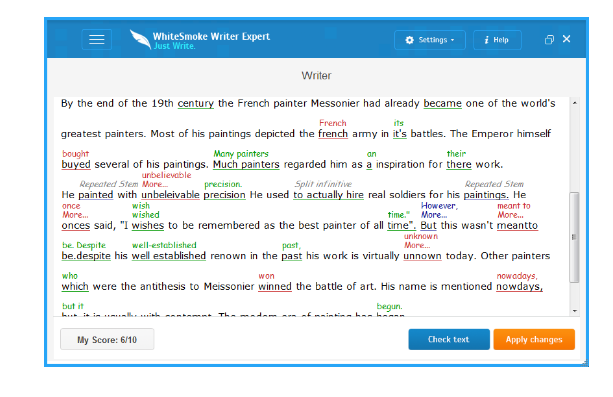
It can also help you with your style and make your written content even better and more effective.
Also, it offers translator services with over 50 languages, a plagiarism checker with paid plans, and various tutorials to raise your knowledge of English grammar to a higher level.
If your business is just starting out and you don’t have a lot of money to spend, then this tool is the right thing for your website.
Offered features:
- A plagiarism detector with the paid version
- Style checker
- Highly-efficient grammar checker
- Translator
- Easy-to-use interface
- Ready-to-use templates
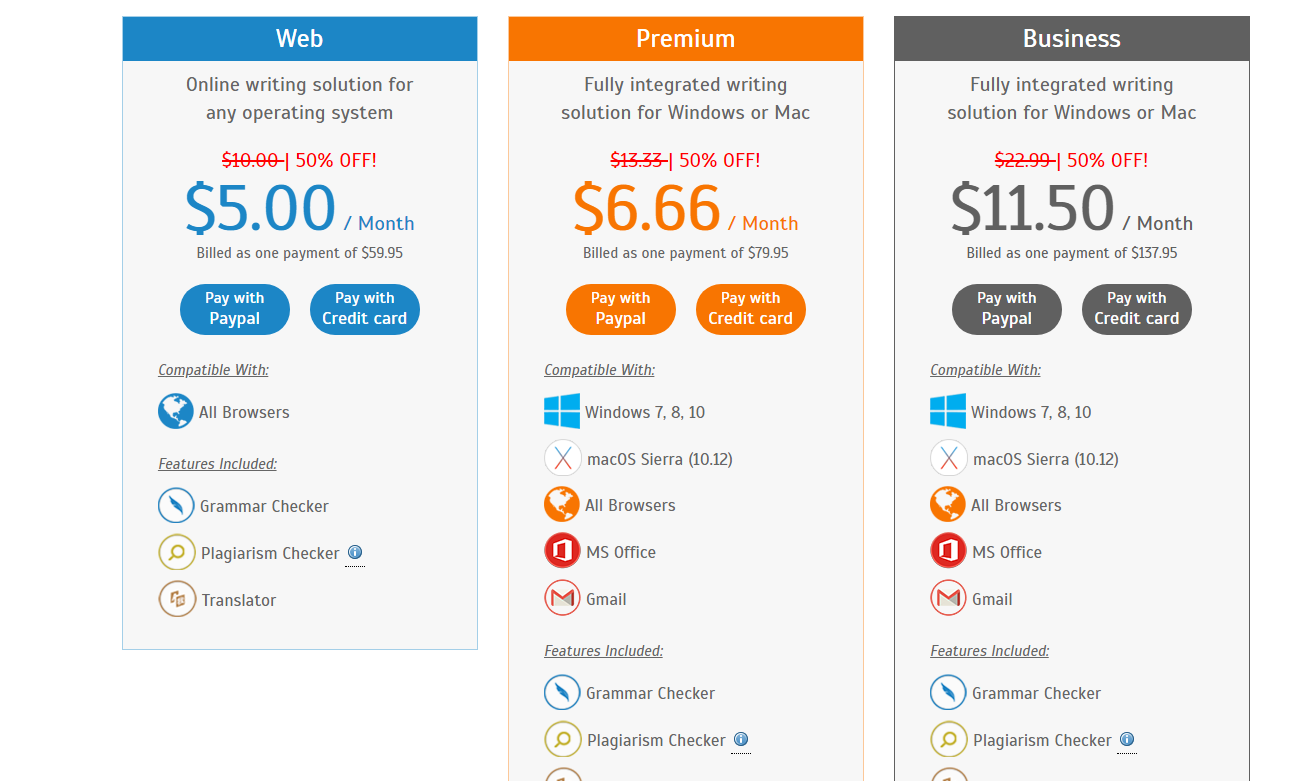
Pricing: There are several different paid packages that differ in price as you can see in the table below:
4. ProWritingAid
For this grammar checker, we can certainly say that it is in line with the popular Grammarly.
ProWritingAid is used by many bloggers and writers and what is special about this tool compared to others is its special writing reports and feedbacks. It can help you take your texts to the next level and grow your website and business.
In addition to the basic options for checking grammatical, spelling, and punctuation errors, it can also hint to you if you use certain words and phrases too much.
As it improves your style and way of writing through many interactive features, it also gives you more business opportunities because it gives your texts a certain flair, in addition to making them grammatically correct.
You can see what a detailed report looks like in the example below:
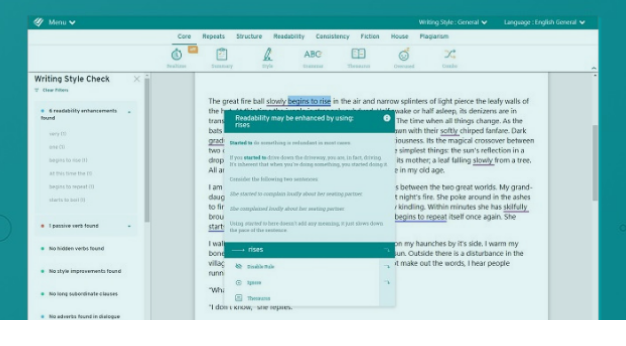
This tool integrates with Gmail, GoogleDocs, WordPress, and more to make your job less demanding and complicated.
Offered features:
- Detailed writing reports
- Highly-efficient grammar checker
- Style checker
- Plagiarism checker
- Provided suggestions
- Integrations
Pricing: There is a free version but this tool also offers paid packages Premium and Premium Plus. You can choose between monthly, annual, and lifetime subscription which we can see in the table below:

5. Hemingway Editor
This app can be used both as an online grammar checker and as a desktop app.
This tool focuses mostly on making your text as readable as possible and on a general level to help you improve your writing style.
It is fast and efficient, and although it does not allow the suggestion option, it makes the text clearer.
If you are writing content for a website, you only need to export what you checked as a link and publish it on the website itself automatically.
Hemingway Editor uses different colors to emphasize different segments such as the use of adverbs that are in blue, the passive that is in green, while purple suggests that some expressions or phrases can be written more simply. Also, it suggests in red that you need to edit certain sentences, and sentences that are harder to read are highlighted in yellow.
Below, we can see how that looks like:
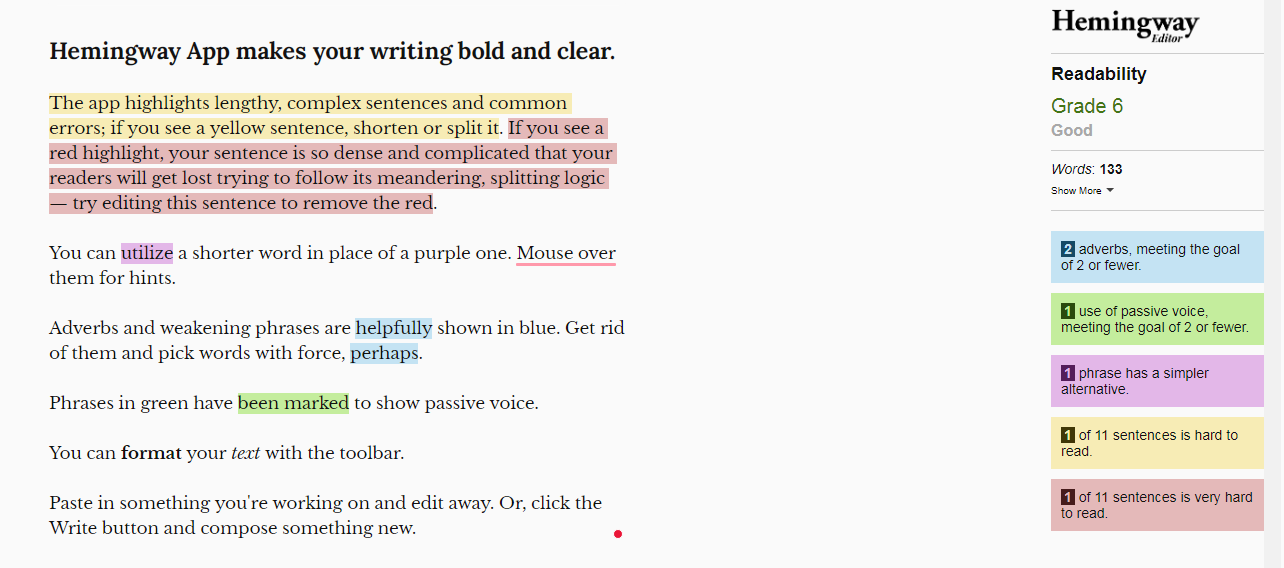
This app is specially designed and suitable for editors and makes their work much faster and more efficient.
Offered features:
- Writing style checker
- Browser extensions
- Improvement of the readability
- Self-editing opportunities
- Full Analysis
Pricing: Although a free online version of the Hemingway App is available, to use their desktop version you have to pay $19.99.

To Sum up
If you are into writing and you want your content, as well as for your business website or someone else’s, to be the best and clearest possible, pay attention to the various grammar checker tools available on the market.
They can help you enormously with your text’s quality, and make your job easier in just a few steps.
Be sure to include grammar checking tools in your processes. For example, in their project management system, the team at Unscrambled Words has a requirement that all content is checked for grammar before it’s published.
If you are dealing with a business website, in addition to quality and correct written content, it is advisable to add some interesting plugins such as Premio plugins that can help you keep as many visitors as possible.
It is important to leave a professional impression on people and get clients as a freelancer. Try these 5 must-have grammar checker tools in creating error-free content that we have singled out.
Try these and become the writer you always imagined you would be.